Tester

How We Build WordPress Websites That Are Easy to Update

When a client moves office or changes their phone number, the last thing they should have to worry about is how many places that needs updating on their website. We’ve all seen it — a footer with a phone number that’s two years out of date, or a contact page with the old email address still on it. It’s such an avoidable problem.

At Blueprint Web, a big part of how we work is building websites that are genuinely easy to maintain — for us, and for our clients. Here’s a look at some of the systems we’ve put in place to make that happen.

Global Settings: Change It Once, Done

One of the first things we set up on every build is a Global Settings panel inside WordPress. This is where we store core business information — phone number, email address, physical address, social media links — in one central place.

Those details then pull through automatically wherever they appear on the site. Header, footer, contact page, wherever. If a client changes their number, they (or we) update it once and it reflects everywhere instantly. No hunting through pages one by one, no risk of missing something.

It sounds simple, but it makes a real difference when things change — and they always change eventually.
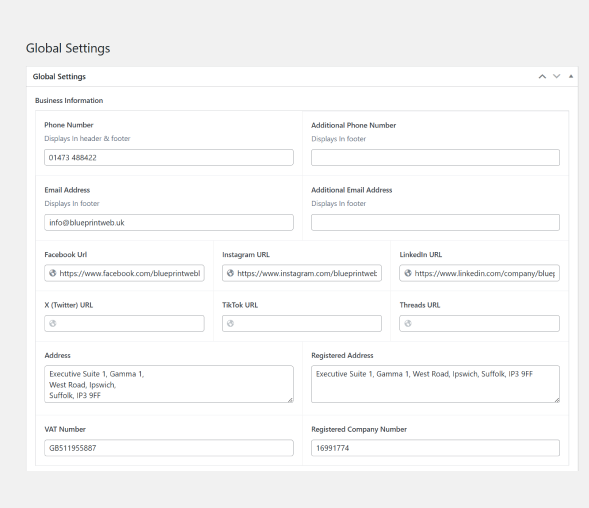
Global settings Page information
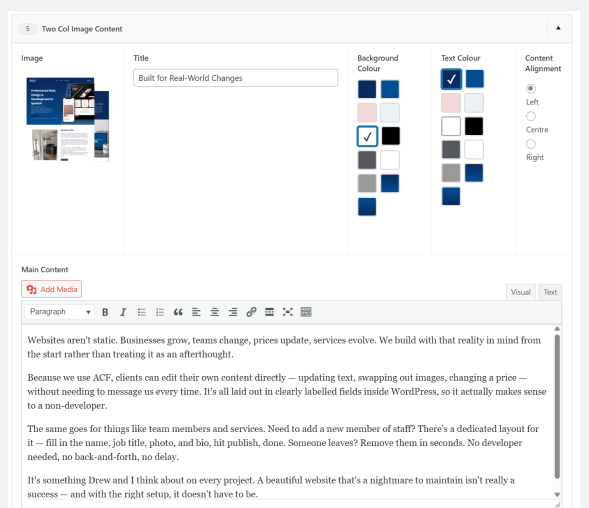
ACF two column content

A Pre-Built Component Library with ACF

Every website has the same building blocks. Contact forms. Services sections. Team member profiles. Testimonials. Image galleries. We’ve built all of these out as flexible, reusable components using Advanced Custom Fields (ACF) — so when we start a new project, we’re not recoding the same things from scratch every time.

The structure is there and ready to go, but everything is still custom built. Each component is styled to match the client’s brand, their colours, their fonts, their feel. It’s not a template — it’s more like having a solid foundation to build on, so we’re spending our time on the details that actually make a site unique rather than rebuilding the basics for the hundredth time.

Our client picks the components they need, we slot them in and make them their own, and the result is something polished built in less time. Tighter timelines, consistent quality, no shortcuts on the finish.

Built for Real-World Changes

Websites aren’t static. Businesses grow, teams change, prices update, services evolve. We build with that reality in mind from the start rather than treating it as an afterthought.

Because we use ACF, clients can edit their own content directly — updating text, swapping out images, changing a price — without needing to message us every time. It’s all laid out in clearly labelled fields inside WordPress, so it actually makes sense to a non-developer.

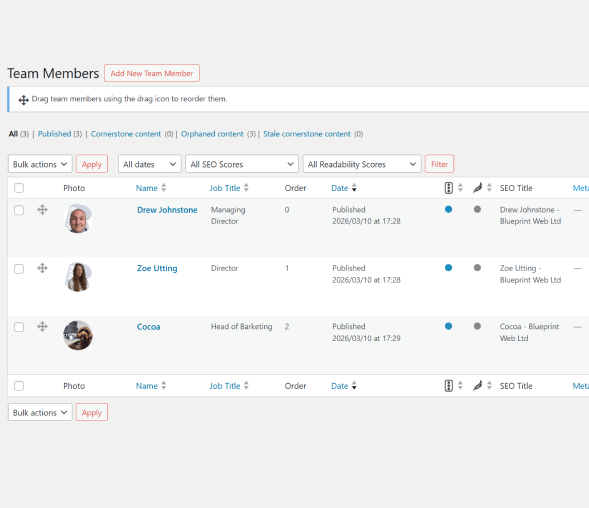
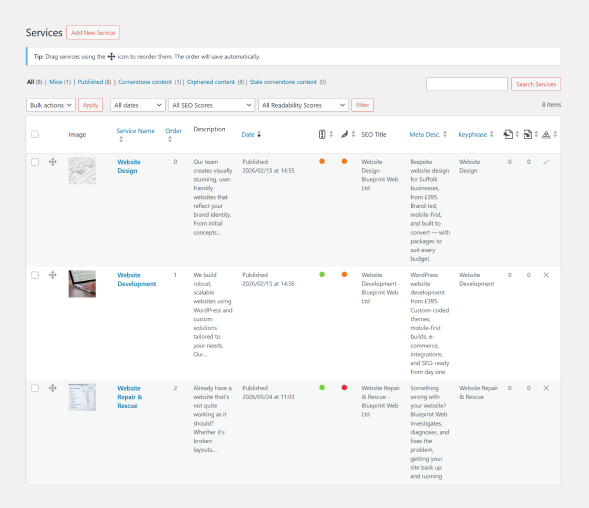
The same goes for things like team members and services. Need to add a new member of staff? There’s a dedicated layout for it — fill in the name, job title, photo, and bio, hit publish, done. Someone leaves? Remove them in seconds. No developer needed, no back-and-forth, no delay.

It’s something Drew and I think about on every project. A beautiful website that’s a nightmare to maintain isn’t really a success — and with the right setup, it doesn’t have to be.

Team members post content wordpress
Wordpress services sections

Why It Matters for Small Businesses

If you’re a small business owner, you probably don’t want to be emailing your web developer every time you hire someone new or update your opening hours. You shouldn’t have to.

The way we build means most day-to-day updates are straightforward enough for clients to handle themselves — and when they do need us, we’re not digging through spaghetti code to figure out why something isn’t pulling through correctly. Good structure at the start saves everyone time later.

These kinds of behind-the-scenes decisions don’t always get talked about, but they’re a big part of why some WordPress builds hold up brilliantly over time — and others start causing headaches within months.

If you’d like a website that’s built properly from the start, we’d love to chat. Get in touch with Blueprint Web for a free, no-pressure conversation about your project.

Read More